Usage
HEACalculator provides a command-line interface (CLI), a graphical user interface (GUI), and a Python API, all backed by the same calculation core.
Usage as a Tool
If you are using the uv tool workflow, you can run HEACalculator without adding it to a project's dependency list.
For a persistent installation managed by uv:
For a one-off invocation:
If you need the desktop GUI, install or run the package with the gui extra:
Or run the GUI without installing it permanently:
Use uv add instead when HEACalculator should live inside a project's environment as a dependency.
Command-Line Interface
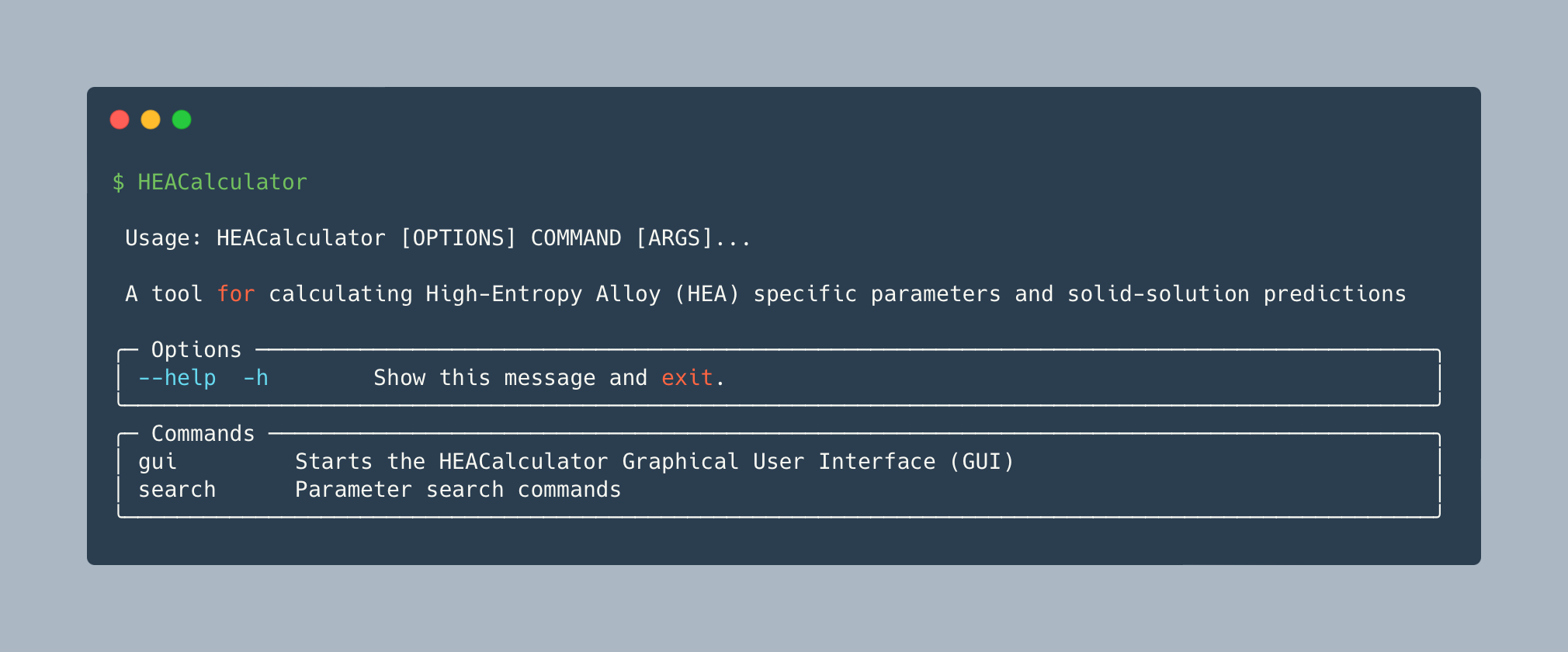
Running HEACalculator without arguments displays the help screen:
search single - Single Alloy
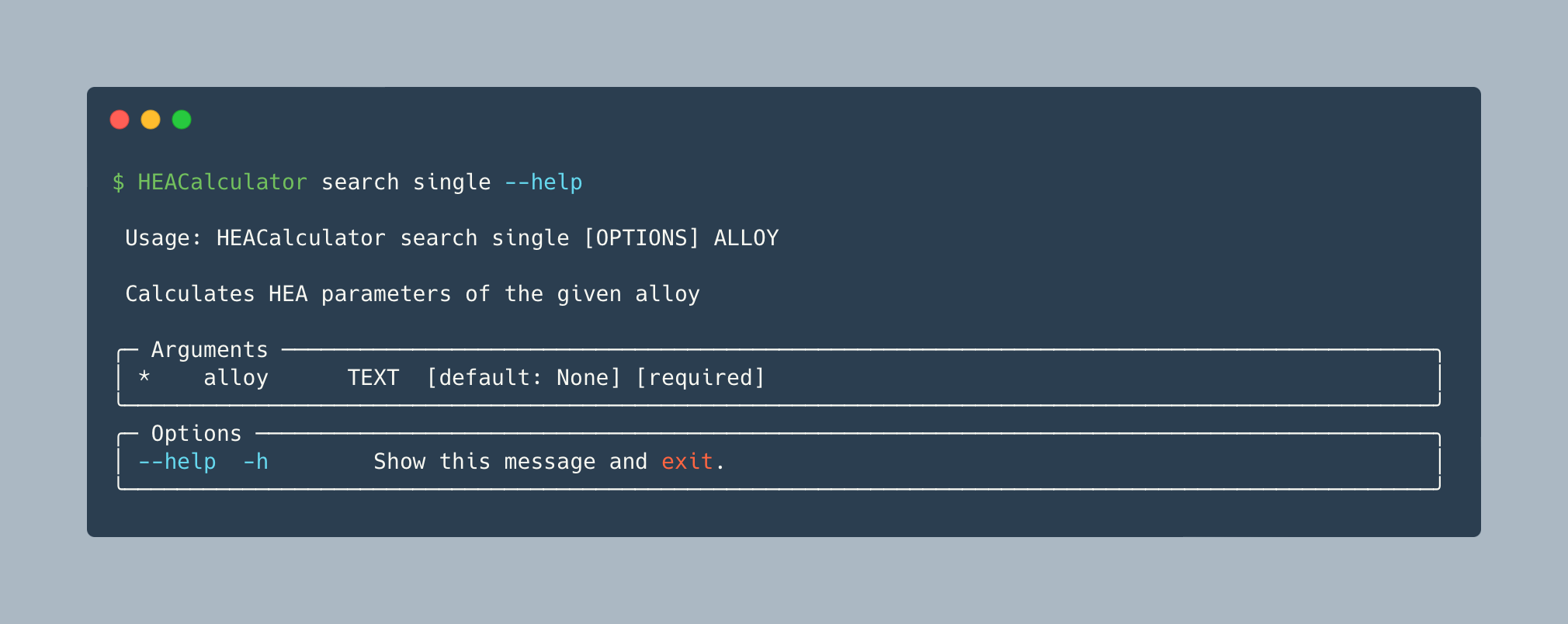
Calculate all thermodynamic parameters and solid-solution predictions for a single alloy formula:
Options
| Option | Default | Description |
|---|---|---|
--json |
False |
Output results as JSON instead of human-readable text |
Examples
HEACalculator search single FeCoCrNi
HEACalculator search single Fe25Co25Cr25Ni25
HEACalculator search single "(FeCo)2CrNi"
The formula parser handles equimolar notation (FeCoCrNi), explicit atom counts (Fe25Co25Cr25Ni25), and nested bracket notation ((FeCo)2CrNi).
Use --json to get machine-readable output with raw numeric values (useful for scripting or agent pipelines):
{"formula": "FeCoCrNi", "density": 8.16024951140065, "delta": 0.302115884766779, "omega": 5.753925287423301, "vec": 8.25, "mixing_enthalpy": -3.75, ...}
NaN values (from missing database entries) appear as JSON null.
search range - Composition Range Screening
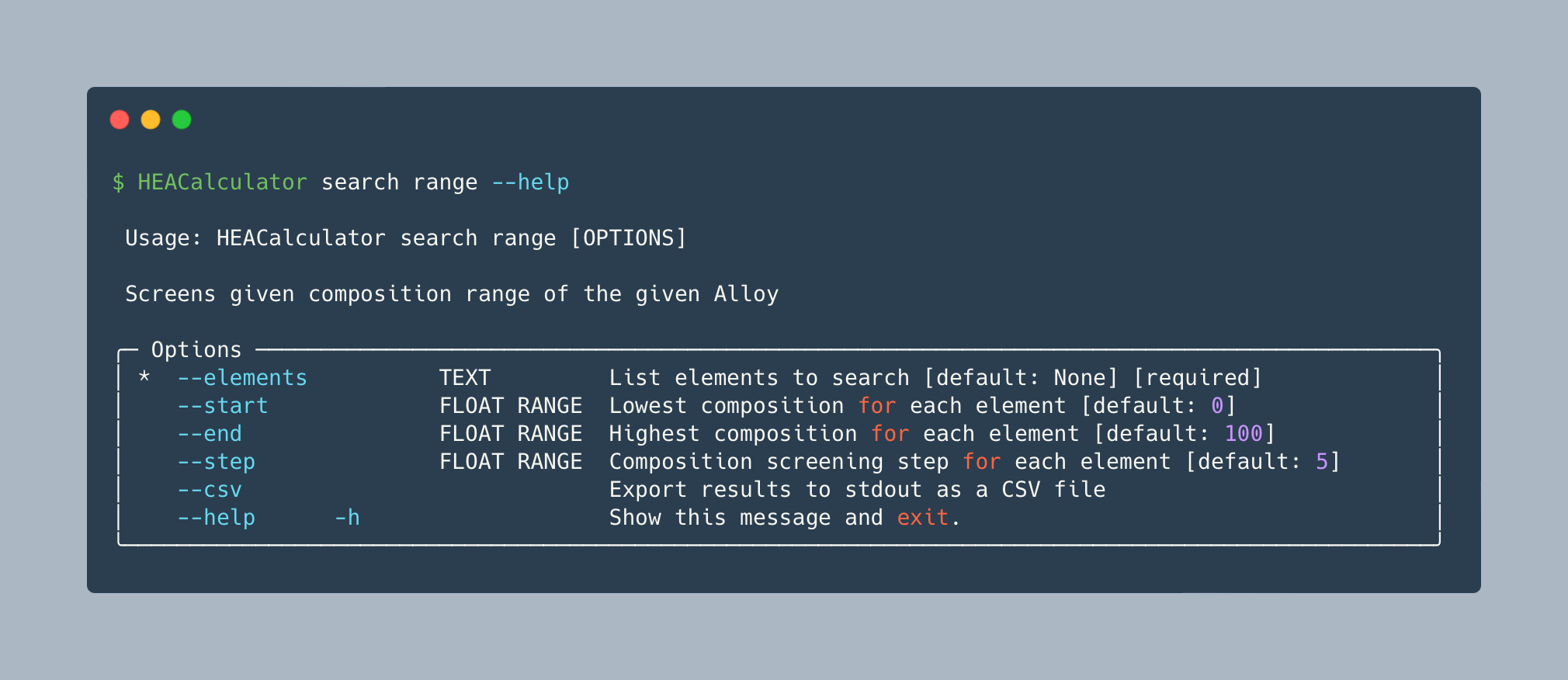
Screen all composition combinations within a given range for a set of elements. Each composition is independent, so calculations are parallelized across all available CPU cores automatically.
Options
| Option | Default | Description |
|---|---|---|
--elements |
(required) | Space-separated list of element symbols |
--start |
0 |
Lowest at% for each element |
--end |
100 |
Highest at% for each element |
--step |
5 |
Composition step size (at%) |
--csv |
False |
Export results as CSV to stdout |
--json |
False |
Output results as newline-delimited JSON |
--csv and --json are mutually exclusive.
Pure single-element compositions (one element at 100 at%, the rest at 0 at%) are excluded from search range results, even when both --start 0 and --end 100 are used with a step that lands on those endpoints.
To run the same screen from Python, see Parallel screening.
Examples
# Print results to terminal
HEACalculator search range --elements "Al Ti V" --start 0 --end 100 --step 5

# Export to CSV file
HEACalculator search range --elements "Fe Co Cr Ni" --step 10 --csv > results.csv

# Export as newline-delimited JSON for agent/script consumption
HEACalculator search range --elements "Fe Co Cr Ni" --step 10 --json > results.ndjson
search csv - Batch Calculation from CSV
Calculate HEA parameters for every composition listed in a CSV file:
Options
| Option | Default | Description |
|---|---|---|
--column, -c |
composition |
Name of the column containing alloy compositions |
--json |
False |
Output results as JSON instead of CSV rows |
CSV format requirements
By default, the input file must contain a column named composition (case-insensitive):
composition,note
FeCoCrNi,equimolar quaternary
Fe25Co25Cr25Ni25,same as above explicit
AlCoCrFeNi,quinary
If your CSV uses a different column name for compositions, point to it with --column:
Rows with missing or unparseable compositions are skipped and an error is printed to stderr.
Output columns (default CSV): Formula, Density (g/cm^3), Delta (%), Delta (CN12) (%), Delta Chi (Allen) (%), Delta Chi (Pauling) (%), Omega, Gamma, Lambda, Phi, VEC, e/a, Mixing Enthalpy (kJ/mol), Mixing Entropy (J/K.mol), Formation Enthalpy (meV/atom), Min. Formation Enthalpy (meV/atom), Melting Temperature (K), Crystal Structure, Model 1–8.
Examples
# Default CSV output
HEACalculator search csv alloys.csv

# JSON output (one object per line)
HEACalculator search csv alloys.csv --json
Graphical User Interface
Launch the PyQt6 desktop application:
Note: Requires
PyQt6. Install theguiextra withuv tool install "HEACalculator[gui]"(standalone tool),uv add "HEACalculator[gui]"(project dependency), orpip install "HEACalculator[gui]".
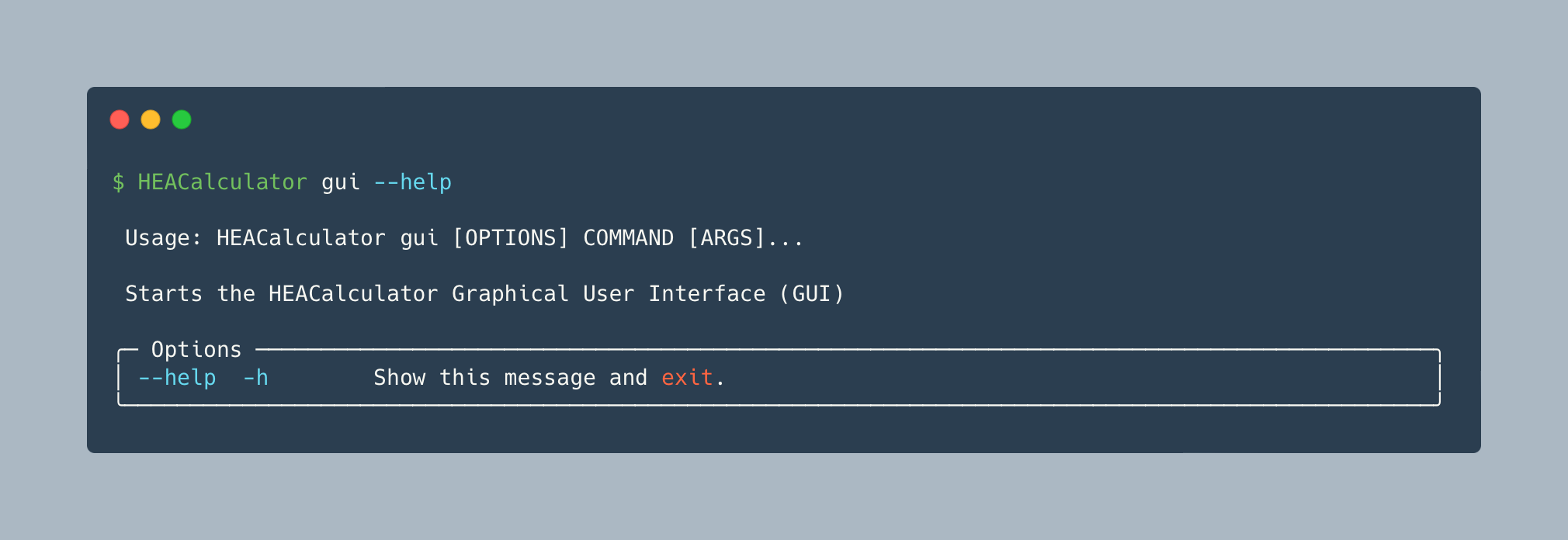
The GUI has two pages, switched via the navigation buttons on the left:
Parameters page (single alloy)
- Select elements from the periodic table (percentages are distributed equally by default)
- Adjust the at% values in the composition table as needed
- Click Calculate
- Click Save to export results as a CSV file
Batch Calculations page (range screening)
Equivalent to the CLI search range command.
- Select elements from the periodic table
- Set the composition range and step size
- Click Search
- Click Save to export results as a CSV file
Python API
HEACalculator can be used directly as a Python library.
Single alloy calculation
from HEACalculator import HEACalculator

hea = HEACalculator("FeCoCrNi")

# Thermodynamic properties
print(hea.thermo.mixing_enthalpy)               # kJ/mol
print(hea.thermo.mixing_entropy)                # J/K·mol
print(hea.thermo.formation_enthalpy)            # meV/atom
print(hea.thermo.density)                       # g/cm³
print(hea.thermo.melting_temperature)           # K
print(hea.thermo.valence_electron_concentration)
print(hea.thermo.ea_ratio)                      # Hume-Rothery e/a
print(hea.thermo.atomic_size_difference)        # %
print(hea.thermo.atomic_size_difference_cn12)          # % (CN12-corrected radii)
print(hea.thermo.allen_electronegativity_difference)   # % (Allen CE scale)
print(hea.thermo.pauling_electronegativity_difference) # % (Pauling scale)
print(hea.thermo.omega)
print(hea.thermo.gamma)
print(hea.thermo.lambda_)

# Solid-solution predictions
print(hea.predictor.microstructure)        # "FCC", "BCC", "HCP", or "BCC+FCC"
print(hea.predictor.model_1)               # "Solid Solution" or "Intermetallic"
print(hea.predictor.model_2)
print(hea.predictor.model_3)
print(hea.predictor.model_4)
print(hea.predictor.model_5)
print(hea.predictor.model_6)
print(hea.predictor.model_7())             # method, accepts optional parameters
print(hea.predictor.model_8)

# Human-readable summary
print(hea)

# Machine-readable dict (raw floats; NaN -> None)
d = hea.get_dict()
print(d["density"])           # 8.160249...
print(d["mixing_enthalpy"])   # -3.75
print(d["model_1"])           # "Solid Solution"
get_dict() returns the same properties as get_list() but as a named dictionary with raw numeric values rather than formatted strings, making it suitable for JSON serialization or programmatic use:
NaN values (from missing pair database entries) are returned as None so the dict serializes to valid JSON without extra handling.
Omega at a specific temperature
Parallel screening
HEACalculator.screen calculates many alloys in parallel, the same way search range does, and yields fully calculated HEACalculator objects in input order. It uses all CPU cores by default; set n_workers to use fewer.
Pass find_all_comps output to screen a composition range. It generates the same compositions as search range: sorted, with pure elements excluded, and with formulas like Al5.0Ti45.0V50.0.
import pandas as pd

from HEACalculator import HEACalculator
from HEACalculator.utils import find_all_comps

if __name__ == "__main__":
    compositions = find_all_comps("Al Ti V", start=0, end=100, step=5)
    results = pd.DataFrame(calc.get_dict() for calc in HEACalculator.screen(compositions, n_workers=4))
Or pass a list of formulas. A failing alloy, such as one with an unknown element symbol, does not stop the screen. As with a single HEACalculator, the error is raised when its properties are accessed:
from HEACalculator import HEACalculator
from HEACalculator.exceptions import ElementNotFoundError

if __name__ == "__main__":
    for calc in HEACalculator.screen(["FeCoCrNi", "FeXx", "WMoTaNb"]):
        try:
            print(calc.formula, calc.predictor.microstructure)
        except ElementNotFoundError as e:
            print(f"Skipping {calc.formula}: {e}")
Why if __name__ == "__main__":?
On macOS and Windows (and on Linux from Python 3.14), each worker process starts a fresh interpreter and re-imports your script. Without the guard, every worker would start the screen again and raise RuntimeError. Jupyter notebooks don't need the guard.
Accessing element data directly
from HEACalculator.data import Element, MixingEnthalpy, FormationEnthalpy

fe = Element("Fe")
print(fe.atomic_weight)             # 55.845
print(fe.melting_point)             # 1811 K
print(fe.atomic_radius)             # 124.1 pm
print(fe.atomic_radius_cn12)        # 126 pm (Goldschmidt CN12)
print(fe.allen_electronegativity)   # 1.80 (Pauling units)
print(fe.pauling_electronegativity) # 1.83 (Pauling scale)

dH = MixingEnthalpy(("Fe", "Co"))       # kJ/mol
dHf = FormationEnthalpy(("Fe", "Co"))   # meV/atom